


| File Type |
.DMG, .EXE |
|---|---|
| License |
Commercial, No Redistribution |
| Compatibility |
Internet Access Required, Mac, Windows |
| Features |
.PDF guide, User Interface |
| Product Type |
Software |

-20%


Flareware
Original price was: £50.00.£40.00Current price is: £40.00.
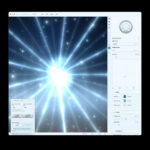
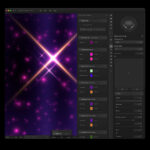
Flareware is desktop software for Mac and Windows that creates custom lens flares, skies, auroras and particle effects. Built for designers and digital artists who want cinematic-quality assets, with a new interface for combining effects in layers, working with colour palettes, and saving your assets and projects in Collections.
- All future updates included at no extra cost
- PNG, JPG and MP4 video export
- Fully editable lens flares, skies, aurora effects and particles
- Combine and arrange effects in layers, including image layers
- Import and use Dither Boy color palettes
Instant download access after checkout
Additional information
Reviews (1)
Reviews
Only logged in customers who have purchased this product may leave a review.
Frequently Asked Questions
Compatability
Below are approximate recommendations for running the latest version of Flareware. Please note that we are an independent company and the specs below are a result of our test process, you will likely be able to run the app with a setup outside of what we recommend. Always send us an email if you have trouble running the app. ([email protected])
Installer Sizes:
- Apple Silicon: 357 MB
- Intel Mac: 391 MB
- Windows: 457 MB, plus the uninstaller
Recommendations for for normal 1080p work
Mac:
Compatible with Apple Silicon and Intel Macs. Optimised for Apple Silicon.
- macOS 12 Monterey or later
- Minimum of Apple M1 chip
- 1 GB free space after install for general work, saving files, video rendering, etc
- 1440 × 900 display
Windows
- Windows 10 or later, 64-bit
- Intel Core i5-8400 or AMD Ryzen 5 2600 or equivalent
- NVIDIA GTX 1650 4 GB, AMD RX 570 4 GB, or Intel Arc A380 6 GB
- 1 GB free space
- 1440 × 900 display
Recommended for power user, larger canvases and multiple layers, complex 2.0 ui setup
The below recommendations are for a “power user” or someone who wants to run large exports and complex workflows in Flareware without their setup struggling.
Mac
- macOS 13 Ventura or later
- Apple M1 Pro or a newer Pro-series chip
- Apple M1 Pro 14-core GPU or better
- SSD with at least 2 GB free space
- 1920 × 1080 display or higher
Windows
- Windows 11, 64-bit
- Intel Core i7-11700 or AMD Ryzen 7 5700X, or better
- 32 GB RAM
- NVIDIA 20 series gpu equivalent or better
- SSD with at least 2 GB free space
- 1920 × 1080 display or higher
Additional requirements
- Up to date GPU drivers
- Internet access is required for activation
- Video exports require additional temporary storage

antigravitylove –
Cool little tool I may mess around with for some creative projects. It’s nice to have a tool dedicated to something that takes a little while in Photoshop to do well.