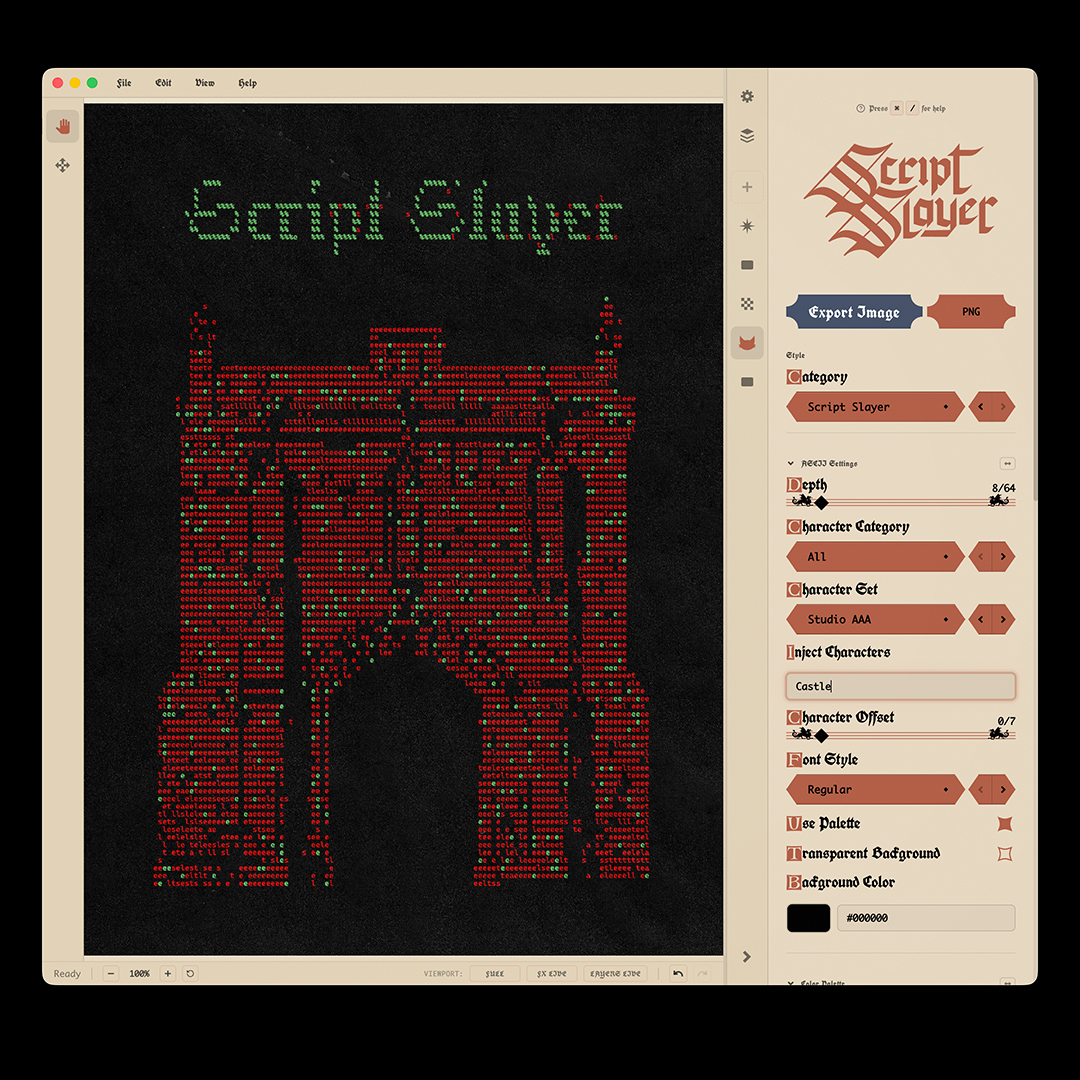
Welcome to Script Slayer!
By now you might have seen it, but last week we released Script Slayer! The world's first Medieval ASCII software.
If you haven't, then you can get caught up here (below) but this blog post is going to give you some tips for getting started with Script Slayer...
What is Script Slayer?
Script Slayer is actually just a Dither Boy update. We were going to put this out as separate software, but since ASCII is so visually similar to dithering, and because of all of the support we have had on Dither Boy, we added it in for free. I mention this because the first thing you need to know is:
- You don't need to buy Script Slayer individually if you already own Dither Boy
- There is no "Buy" Script Slayer page on our site
- I accidentally made this more confusing than it needs to be by positioning Script Slayer as a different app, sorry!
- If you already have Dither Boy, just get updated to v6.1 or later using this video:
How to get started with Script Slayer:
If you want to jump head first into the new stuff, as soon as you load up Dither Boy 6.1, do this:
- Create a canvas or import something
- Click on the settings cog at the top right of the viewport UI. Go to General > Appearance
- Click Script Slayer, then toggle on the logo. Next, get an image in your canvas
- Click on the Dither Boy head icon in the tab bar. Go to the "Category" dropdown menu
- Scroll all the way down to the ASCII Section. Click on Script SlayerÂ
You can watch this video to get started along with me over on YouTube
Want to continue into the Medieval hole?
Script Slayer's Medieval interface might leave you wanting to create something medieval. To the right, you can click and get some Medieval palettes for Dither Boy, or you can go back to our Community hub page and bookmark it for later when i have added some more Script Slayer content!
If you like indie software free updates regular tutorials retro effects advanced dithering then meet Dither Boy!
Dither Boy
£60.00Dither Boy is all-in-one software for authentic retro image, video, and animation dithering. Featuring 63 unique dithering algorithms, a stackable effects pipeline, and full color support, Dither Boy gives you unrestricted access to advanced creative error diffusion, bitmap, halftone, and modulation effects like never before!
Dither Boy is designed to turn any dithering algorithm from a functional compression tool into a granular, editable, malleable effect.
Completely crush your image detail without losing resolution, or create fine and delicate dithering patterns in your work without compromising on style.
- Dither your work at any scale without losing your image quality
- Full color support with built-in palettes, automatic palette extraction from your images, or download and share user created palettes
- Video and animation support built in, with a timeline editor and live preview
- Work with 63 dithering algorithms, all animation and vector compatible, including custom algorithms you won’t find anywhere else
- Stack and reorder effects like Epsilon Glow, JPEG Glitch, Chromatic Aberration, and more
- Effects designed and created specifically for Dither Boy
- One purchase includes all future updates, no subscription required
- Export black vectors for print and embroidery files
- NEW: CMYK Halftone added in update version 6.0!
True to the visual era it was inspired by, Dither Boy requires no recurring subscription, and all future updates will be included in your purchase at no extra cost.
We have already completed an entire year of free updates in 2025!