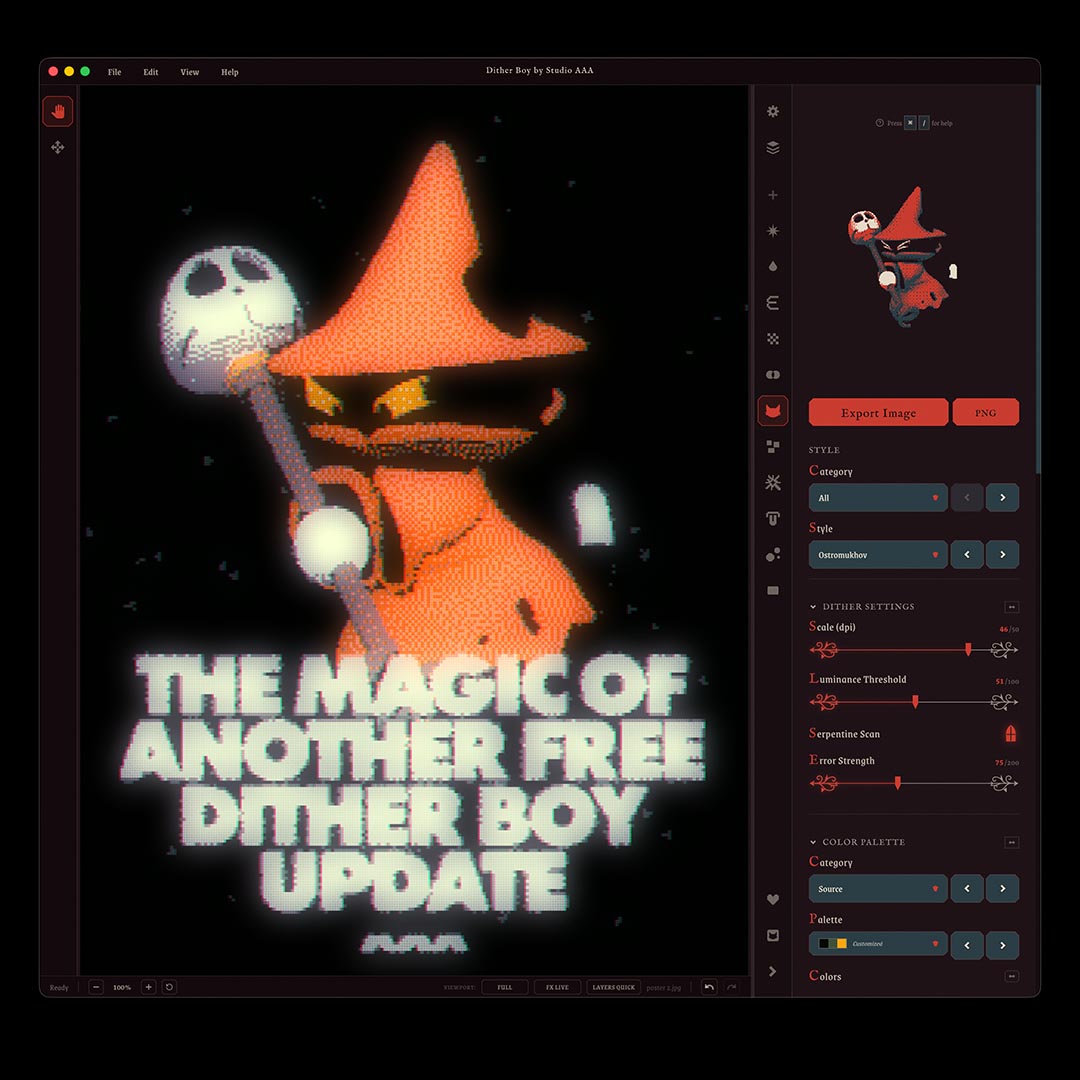
Have you ever wanted to make your own dithering algorithm?
Have you ever wanted to have shapes distribute exactly as you need them, or rotate to the right angle, or just swap out a certain pattern for a new one?... Do you like Halloween?
If you answered yes to any of the above, Shape Shifter was created for you and is available completely free in Dither Boy v6.6.6 this Halloween.
Shape Shifter also comes with a brand new theme which you can find in the usual settings menu. This year our Halloween theme comes with a Shape Shifter twist though, just click on Dither Boy in his Halloween Wizard costume and you will see a brand new UI combination appear, as if by magic!
If you land on a particularly interesting Shape Shift, you can save it or share with other users by going into settings and grabbing the code from the themes menu. If you land on a rare theme combination, it will save automatically!
Control Pattern, Distribution and Orientation
Shape Shifter focuses on giving you control not only over the set of shapes that will be used to render your image, but how they are distributed, how much weight is given to each shape in both visually and algorithmically, as well as letting you colour in or swap out each shape on the go, mid workflow.
After a few attempts at setting up your own Shape Shifter pattern, you should be able to get to grips with the new controls, but the main ones to check out first are:
- Band control: Assign a shape to a band of the luminance spectrum, so that any pixels that match the band's brightness will have your chosen shape assigned to them
- Band size: Choose the size of the shape you've assigned to a band, letting you blow up or shrink down shapes that land on any particular area of the image
- Band Shape: Click on the actual icon in a band and you'll see a pre-loaded library of shapes, you can also add your own!
Brand New Intentionally Designed Effects Layers for Dither Boy & Script Slayer!
This year's Halloween update also introduces our first Mixed Media effects for Dither Boy called Lick and Stress Relief, as well as our first ASCII exclusive effect named Neo Glow.
Each new effect is designed to be paired with an existing system in Dither Boy already: A lot of our Medieval Palettes were created by sampling palettes from open source images of old paintings, so if you pair a Medieval Palette with Lick and Stress Relief, the result will be a painted-style effect where the detail in the paint is dictated by the settings in your dithering algorithm.
Our new Neo Glow effect will only work in Script Slayer/ASCII mode, it picks out sections of your ASCII characters and makes them brighter, using either your existing palette or a colour you choose. You can animate these bright sections moving through the image while the characters stay in place, with controls for the direction, length, brightness and how much of the rest of your image stays visible. Pair it with a green palette for a familiar style of animation, or experiment with your own colours and settings.
Here you can see a real actual Dither Boy v6.6.6 output where I have layered a Skull image with a diffusion dither underneath Lick and Stress Relief to give an output that actually looks like mixed media work!
Project Files for Dither Boy! Finally! Yes we finally did it. Project Files are here!
Rather than explaining what a project file is, go below to download my painted Skull project file! Once you are updated to the new version, go to File > Open Project and enjoy!
There is a lot more packed into Dither Boy v6.6.6 that I can't wait to show you but the good news is: if you're an existing user then this is all waiting for you already... for free!
There is a lot more included in this update, but for now...
Happy Halloween from Jack, Christos, Danny, Stan, Barbara, and Evie at Studio AAA 🙂
If you like indie software free updates regular tutorials retro effects advanced dithering then meet Dither Boy!
Dither Boy
Dither Boy is all-in-one software for authentic retro image, video, and animation dithering. Featuring 63 unique dithering algorithms, a stackable effects pipeline, and full color support, Dither Boy gives you unrestricted access to advanced creative error diffusion, bitmap, halftone, and modulation effects like never before!
Dither Boy is designed to turn any dithering algorithm from a functional compression tool into a granular, editable, malleable effect.
Completely crush your image detail without losing resolution, or create fine and delicate dithering patterns in your work without compromising on style.
- Dither your work at any scale without losing your image quality
- Full color support with built-in palettes, automatic palette extraction from your images, or download and share user created palettes
- Video and animation support built in, with a timeline editor and live preview
- Work with 63 dithering algorithms, all animation and vector compatible, including custom algorithms you won’t find anywhere else
- Stack and reorder effects like Epsilon Glow, JPEG Glitch, Chromatic Aberration, and more
- Effects designed and created specifically for Dither Boy
- One purchase includes all future updates, no subscription required
- Export black vectors for print and embroidery files
- NEW: CMYK Halftone added in update version 6.0!
True to the visual era it was inspired by, Dither Boy requires no recurring subscription, and all future updates will be included in your purchase at no extra cost.
We have already completed an entire year of free updates in 2025!